
Peer-to-Peer Safety Conversations
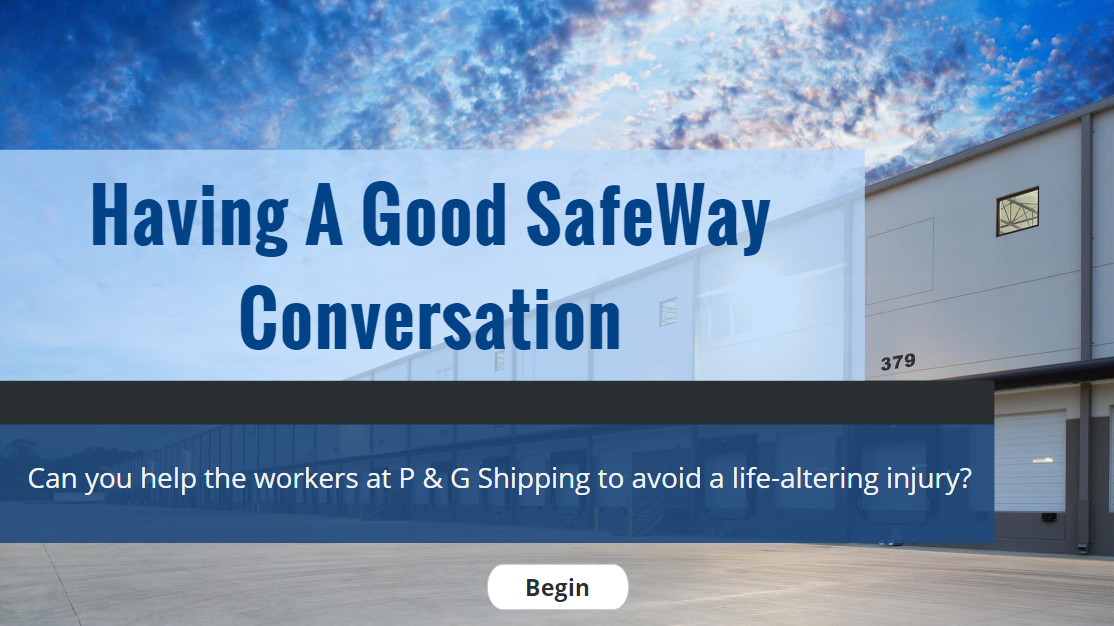
This concept project is a scenario-based eLearning session that guides workers through a short conversation (administered peer-to-peer on site) that reduces the risk of injury on the job. This conversation supports workers in becoming more aware of their personal safety.
Audience: On-site workers, supervisors, team leads
Responsibilities: Needs Analysis, eLearning Design and Development, Graphic Design
Tools Used: Storyline, Adobe XD, Stock, Mindmeister, Google Docs, Adobe Photoshop, Amazon AWS
The Problem
This session is designed for a client who wants to lower their total recordable injury rate. In addition to demonstrated practices (lockout/tagout, fall protection) and safety systems (PPE, OSHA, WHMIS) being in place, there is a human side to address when it comes to safety.
A common problem on work sites is that safety becomes less and less prioritized as workflow changes. People become caught up in work, which creates problems like short-cutting. Deliberate risk-taking can affect a worker’s safety significantly—and it often happens without a proper risk assessment on behalf of that worker.
The Solution
This solution combines scenario-based eLearning, a job aid, and peer mentoring.
There are training products with in-class components that could address this problem in a more general sense. But this involves scheduling classes, missing work and having to organize missed sessions and turnovers. eLearning bypasses these problems and supports a process that happens on site instead of in the classroom.
The session challenges the learner to help a peer re-prioritize safety on the floor in real time. It targets conversation skills that put the emphasis on that peer and avoid typical “safety speech” trappings. The job aid structures the conversation but the eLearning supports key actions that lead to a successful, as opposed to an obligatory, conversation.
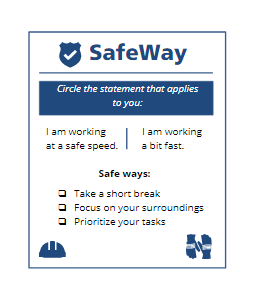
The elearning session trains people to use a job aid, the SafeWay card.
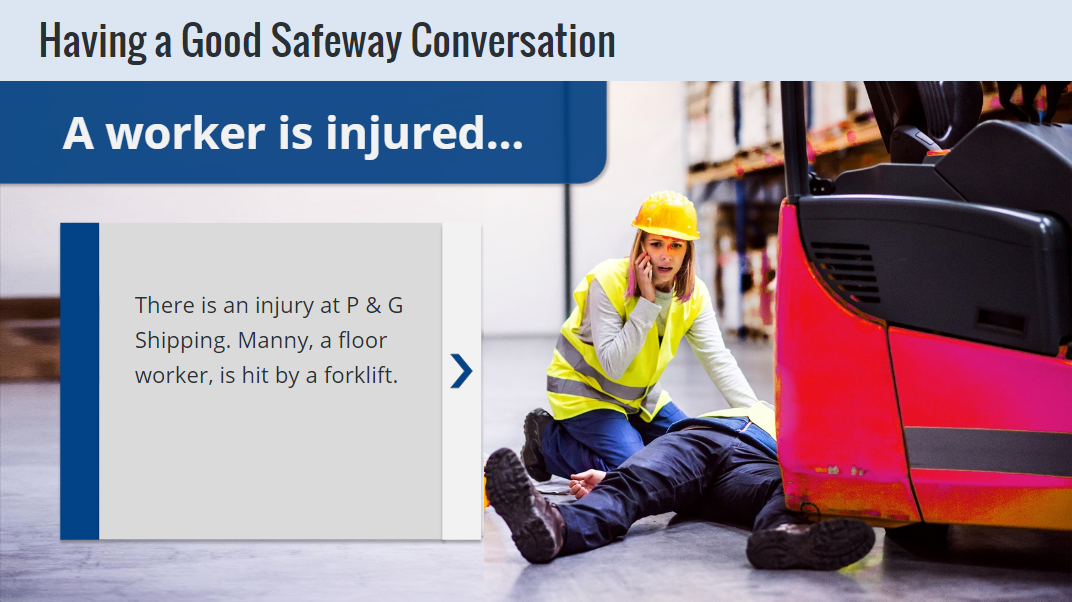
The session starts with a realistic injury and then “turns back the clock” to challenge the user to use the job aid and their conversation skills to prevent the injury.
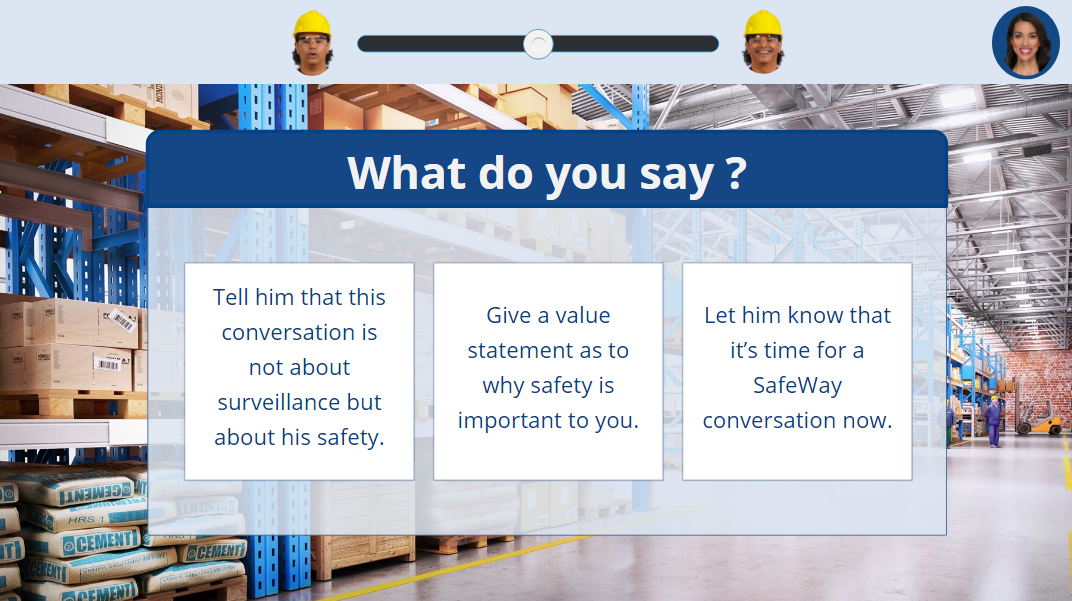
The learner moves through various challenges, choices and consequences
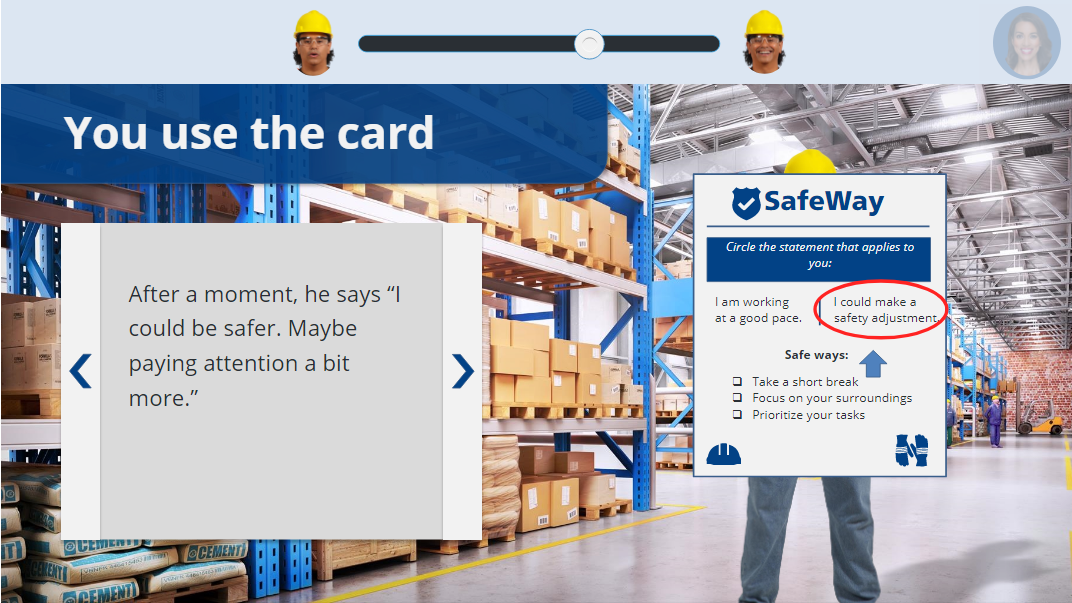
They use the job aid and their conversation skills to prevent the original injury.
My Process
I conducted an informal needs analysis with a SME in the safety training industry regarding best practices for conversing with workers on the floor. I then developed an action map on my own with feedback from a professional ID. I used this map to create a storyboard. Once I collected feedback on these initial stages, I worked on the graphic design of the project, creating a style guide, wireframes and visual mock-ups. This allowed me to create an interactive prototype, which I used as a guide for the remainder of development.
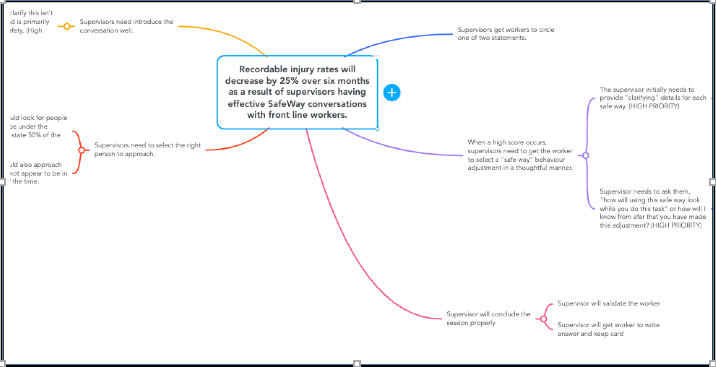
I used MindMeister to document the action mapping process.
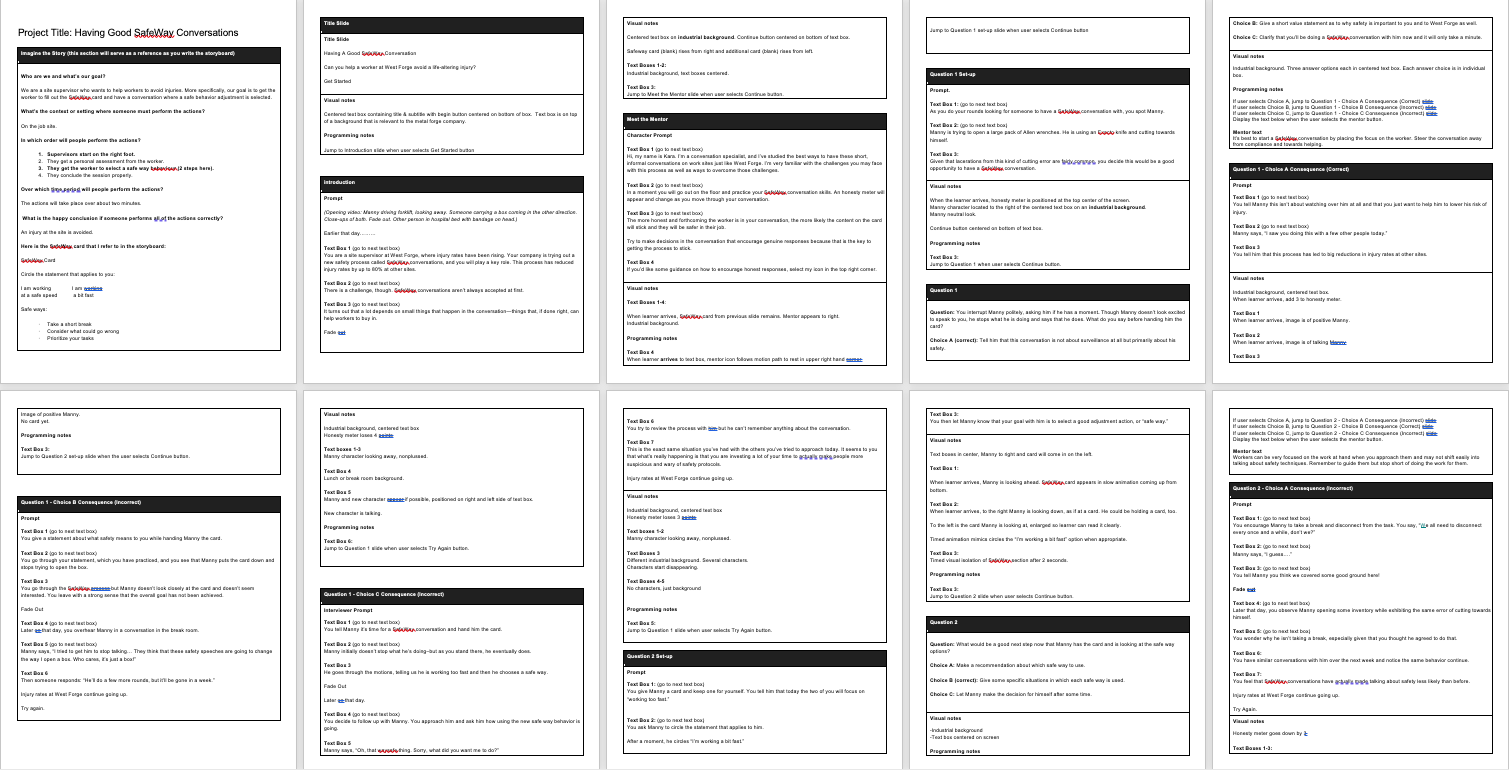
The storyboard includes programming notes.
Visual Design
I used realistic images for this project to develop a mood board, wire frames, a style guide, and then mock-ups.
When creating my mood board, I decided on realistic images for this project over animated images because they are more appropriate to the intended audience and subject matter, suggesting a “straight to the point” focus which is firmly grounded in the environment it explores. The backgrounds shown are fairly generic and will match many work sites.
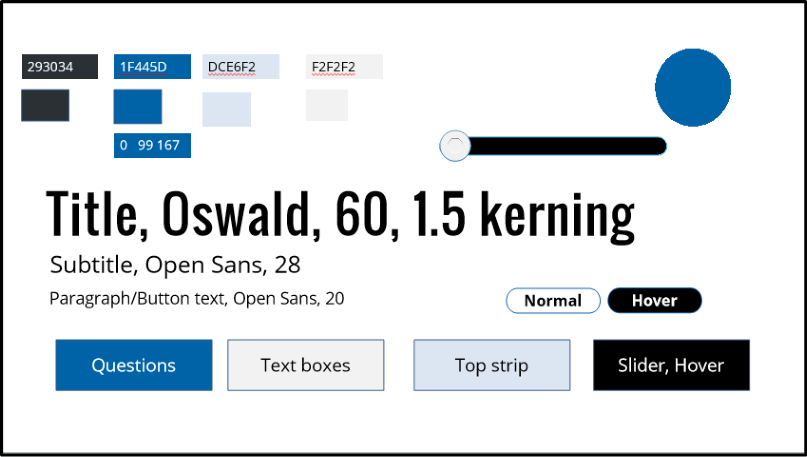
In terms of a color palette, I built off of cool neutrals—suggesting calmness and safety—with pops of bright colors to achieve a visually captivating design with friendly, conversational overtones, matching the apparel of the storyline characters.
There was a balance to strike here in making this look different than standard safety-training fare but not moving it too far from its source environment.
I started graphic design with a mood board.
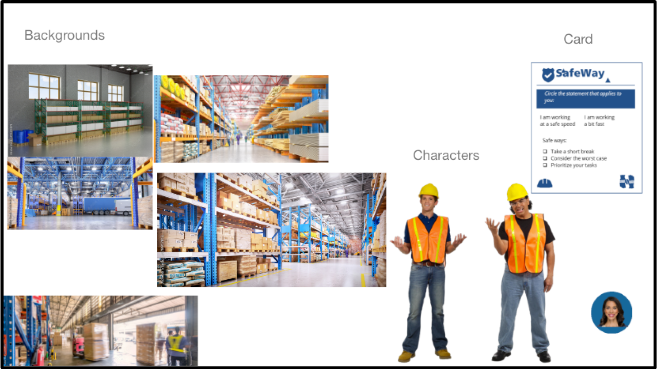
I then created a style guide.
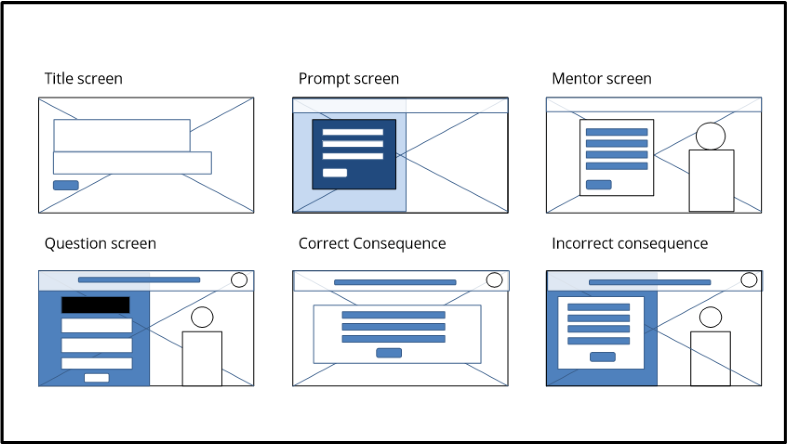
Before mock-ups, I created wire frames.
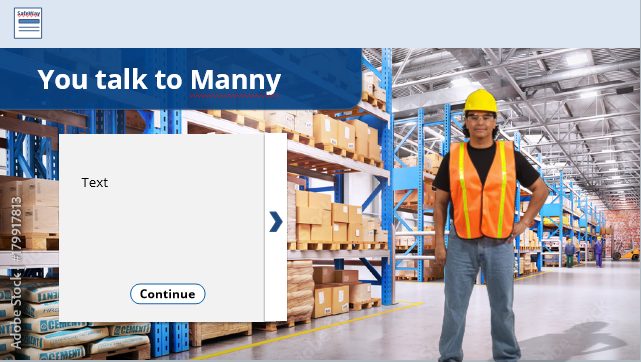
I mocked up slide layouts to get feedback on design.
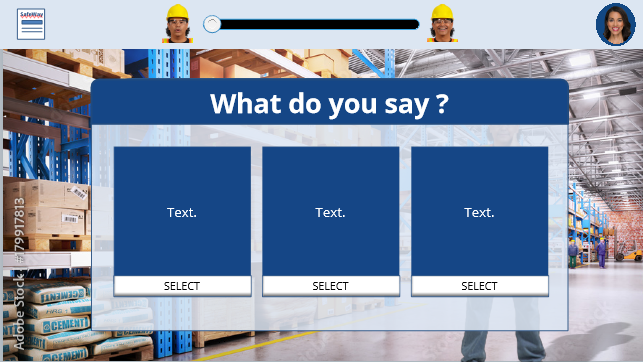
Though there were some changes in these mock-ups, more or less they established the visual design of each slide before proceeding with programming.
Iterating
I then developed an interactive prototype using Articulate Storyline 360, building the project from the introduction to the beginning of the second question. This allowed me to strengthen the clarity of the story and improve the functionality for the user in a way that I could scale, saving time in the feedback process.
Once I received several rounds of feedback and applied the changes, I then developed the full session, which guided the user through the successful conversation and “undoing” the dangerous outcome. It took several attempts to structure this story properly but I iterated on the feedback to create an experience the user could move through briskly but also with clarity and purpose.
Results and Takeaways
I workshopped this project with several professional instructional designers and received positive feedback on the end product. They gave significant positive feedback about my visual design and story flow. I also worked hard to create true-to-life consequences that feel real.
There are some remaining considerations for this project. The first is collecting data, tracking completion rates and even completion times to identify strong communicators. Once identified, these people could enhance the mentoring process, which would follow the eLearning.
The second is it needs to be paired with on-the-floor practice. I developed the card to be simple, so this process doesn’t resemble more laborious safety procedures. Eventually, a variety of people within the organization could have a Safeway conversation, and the identified performance issue could be modified over time as well.